Best Smartwatch for Seniors in 2026: 7 Essential Health Features to Look for Before Buying
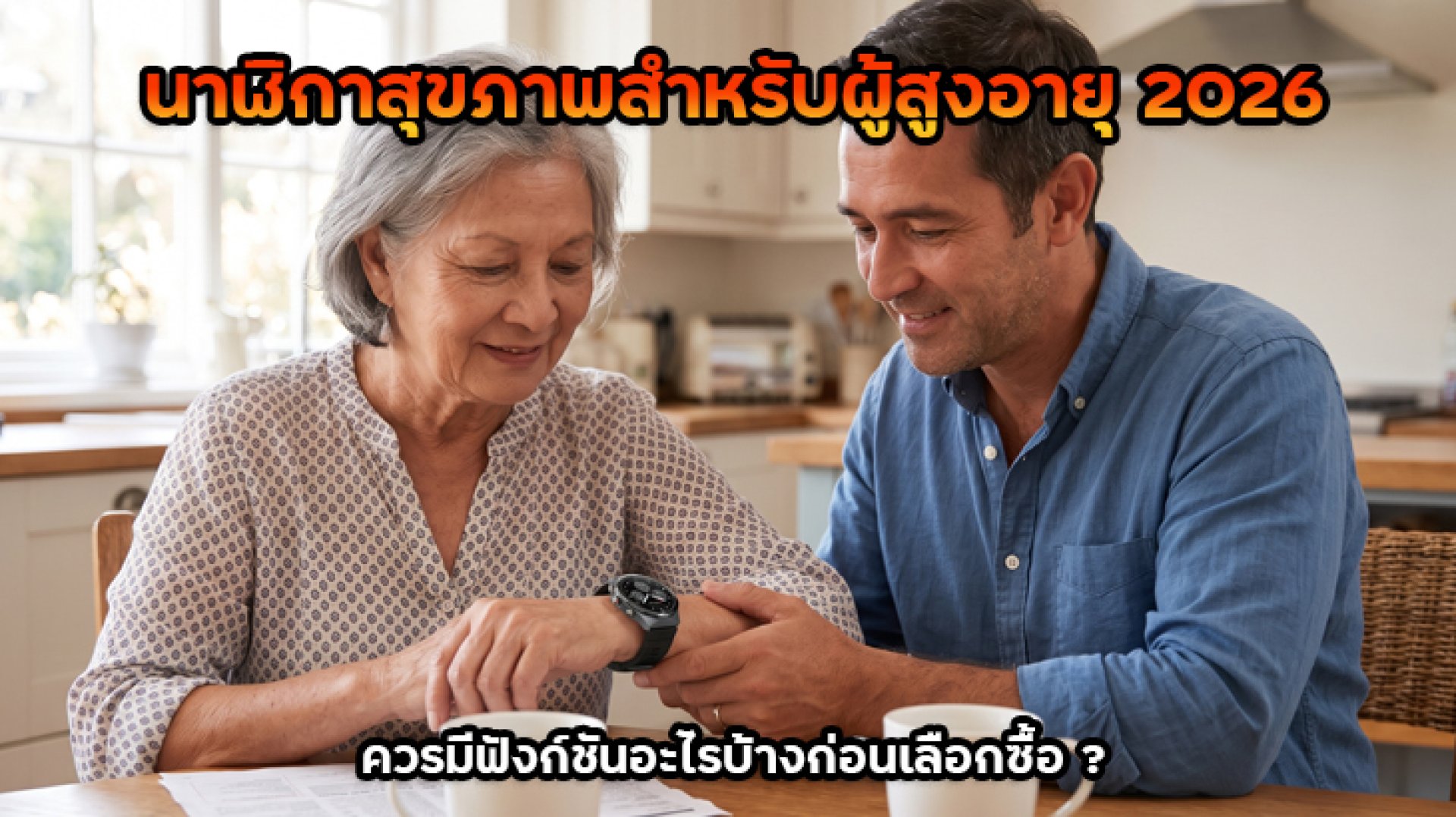
Looking for a smartwatch for your parents or an older family member? In 2026, smartwatches do much more than tell the time, count steps, or display smartphone notifications. Many models now offer health tracking, heart rate monitoring, blood oxygen measurements, and emergency features that can provide additional peace of mind for both seniors and their families.
However, choosing the best smartwatch for seniors is not simply about finding a model with the most sensors or the longest feature list. What matters more is whether the wearer can use it comfortably, read the display easily, understand the menus, and access useful safety features when needed. This guide explains the essential features to consider before buying, helping you choose a smartwatch that fits an older adult's everyday lifestyle.
Why Should Seniors Consider Wearing a Health Smartwatch?
As people get older, monitoring daily activities and noticing changes in their physical condition can become increasingly important. A smartwatch for seniors can help track basic information such as daily steps, heart rate, sleep duration, and physical activity. These records allow users to review their daily habits and observe general health trends over time.
Monitor Daily Health Habits More Easily
Instead of trying to remember how many steps they walked, how long they slept, or how active they were during the day, seniors can use a smartwatch to record this information automatically. The data is often stored in a companion smartphone app, allowing family members to help review activity trends when the watch and app support data sharing.
Make It Easier to Contact Someone in an Emergency
Some smartwatches include SOS buttons, calling functions, or fall detection. These features may help seniors request assistance more conveniently when unexpected situations occur. However, it is important to check whether the selected model can make calls or send alerts independently, or whether it needs to be connected to a smartphone.
7 Essential Features a Smartwatch for Seniors Should Have
You do not necessarily need to buy a smartwatch with every available feature. The best smartwatch for seniors should offer a practical combination of health monitoring, personal safety, and ease of use. Here are seven important features to consider before making a purchase.
1. Heart Rate Monitoring
Heart rate monitoring is one of the most useful basic features to consider. It allows users to check their pulse at different times of the day. Some models can monitor heart rate continuously and provide alerts when readings fall above or below user-defined thresholds.
This feature can be useful for seniors who want to monitor everyday activity or observe general heart rate trends. However, smartwatch readings are intended for general wellness tracking and should not be treated as a medical diagnosis. Anyone experiencing chest pain, palpitations, dizziness, or difficulty breathing should seek medical attention rather than waiting for a smartwatch alert.
2. Blood Oxygen Monitoring (SpO2)
SpO2 refers to the estimated percentage of oxygen saturation in the blood. Many modern smartwatches include sensors that can measure this value, giving users an additional health-related metric to review.
This feature may help users observe estimated readings and general trends over time. However, smartwatch SpO2 sensors are not automatically equivalent to medical-grade fingertip pulse oximeters. Readings can be affected by several factors, including improper watch placement, movement, and poor blood circulation around the wrist.
3. Fall Detection
For a smartwatch for seniors, fall detection is one of the most important safety features to consider. Compatible models use motion sensors and movement patterns to identify events that may indicate a fall.
If the system detects a possible fall, some watches display a prompt asking whether the wearer needs assistance. If the user does not respond within a specified period, the watch may send an alert to emergency contacts or initiate a call, depending on the model and its settings.
Before buying, check the following details:
- Does the watch actually support automatic fall detection?
- Can it send alerts to emergency contacts or phone numbers?
- Does it require a connected smartphone or have its own mobile network connection?
- Can the wearer cancel an alert if the system detects a false alarm?
- Is the emergency feature supported in the country where the watch will be used?
Keep in mind that fall detection cannot prevent falls and may not recognize every incident correctly. It should not replace home safety measures, personal care, or direct emergency assistance.
4. SOS Button or Emergency Assistance
If personal safety is a priority, an SOS button is another feature worth considering. It allows seniors to request help when something unexpected happens without having to navigate through several menus.
Some smartwatches can call a predefined emergency number or contact, while others may only send notifications through a companion app. Do not assume that every product advertising an SOS feature offers the same level of emergency support. Check exactly how the function works before purchasing.
Tip: Set up emergency contacts and test the SOS function before giving the smartwatch to an older family member. Both the wearer and their family should understand how the feature works.
5. GPS Location Tracking
GPS can be useful for seniors who regularly go walking, visit local markets, or travel outside the home. It may be particularly helpful for people who are at risk of getting lost or have memory-related difficulties.
However, it is important to understand the difference between a smartwatch with built-in GPS and one that relies on a connected smartphone.
- Built-in GPS: The smartwatch can receive satellite signals and determine its own location on supported models.
- Connected GPS: The watch uses location information from a connected smartphone.
- App-based GPS tracking: Some models allow caregivers to view the wearer's location through an app, but real-time location sharing must be supported by the specific device and service.
If you want to track a senior's location remotely, check whether the smartwatch has mobile connectivity, an eSIM, or a SIM card. GPS alone does not mean that the watch can automatically send its location to a family member's smartphone at all times.
6. Sleep and Daily Activity Tracking
Sleep tracking, step counting, and activity monitoring can help seniors understand their daily routines. For example, they may notice when they have been less active than usual or when their sleeping schedule has changed.
Useful features include:
- Daily step counting
- Estimated sleep duration and sleep patterns
- Physical activity tracking, including walking and light exercise
- Reminders to move after sitting for extended periods
- Daily and weekly activity summaries in a companion app
Sleep data from a smartwatch is an estimate and cannot independently diagnose sleep apnea or other sleep disorders. However, it may help users observe general patterns and provide additional information when discussing sleep concerns with a healthcare professional.
7. Medication and Hydration Reminders
Another useful feature is the ability to set reminders for everyday routines, such as drinking water, getting up to move, or taking medication. These reminders can help seniors maintain a more consistent daily schedule without having to check their phones frequently.
However, medication reminders only notify users at scheduled times. They do not verify whether the correct medication or dosage has been taken. Family members should still help organize medication and follow instructions from doctors or pharmacists when necessary.
Additional Features That Make a Smartwatch Easier for Seniors to Use
Health monitoring is important, but a smartwatch for seniors should also be easy to operate. Even a device with advanced sensors may become frustrating if the display is too small, the buttons are difficult to press, or the menus are unnecessarily complicated.
Large Display with Clear Text and Adjustable Brightness
Choose a model with a display that is easy to read. Time, health measurements, and notifications should be clearly visible. A screen with sufficient brightness for outdoor use is also helpful. Adjustable text size or watch faces with larger numbers can make everyday operation more convenient.
Simple Menus and Easy-to-Use Buttons
Look for a smartwatch that provides quick access to important functions, such as checking the time, measuring heart rate, or activating SOS. A physical button with a suitable size may be easier to operate for seniors who are less comfortable using touchscreens.
Lightweight Design and Comfortable Straps
Seniors may wear their smartwatch for many hours a day, so comfort matters. Choose a lightweight model with an adjustable strap that fits properly without being too tight. Skin-friendly materials are especially important for people with sensitive skin.
Long Battery Life
Battery life should not be overlooked. A smartwatch that needs charging every day may be inconvenient, especially if the wearer occasionally forgets to charge it. Consider models with battery life suited to the user's daily habits, along with a charging system that is easy to connect.
Smartphone Compatibility
Check whether the smartwatch supports the Android or iOS version used by the family. Also consider whether the companion app supports the user's preferred language and whether health information can be shared with family members. If relatives will help monitor the device, test the connection and notification settings before buying.
Smartwatch Features for Seniors: What Should You Prioritize?
If you are unsure which model to choose, use the following table as a starting point. The most useful features depend on each person's lifestyle and individual needs.
| User Profile | Recommended Features | Why They Matter |
|---|---|---|
| Seniors who travel independently | GPS, SOS, Calling | Make it easier to contact family and share location when necessary |
| Seniors at risk of falling | Fall Detection, SOS | May help notify contacts when a fall occurs and assistance is needed |
| Seniors who enjoy walking or exercising | Heart Rate, Step Counter, GPS | Track physical activity and outdoor workouts |
| Seniors who want to monitor daily routines | Sleep Tracking, Activity Reminders | Help observe sleep and movement patterns |
| Seniors who are not comfortable with technology | Large Display, Simple Menus, SOS Button | Make everyday operation easier and reduce complexity |
Important Things to Check Before Buying a Smartwatch for Seniors
Although a smartwatch for seniors may offer multiple health sensors, it is important to understand that not every smartwatch is a medical device. The accuracy and capabilities of each model can vary significantly.
Do Not Use Smartwatch Readings as a Replacement for Medical Equipment
Heart rate and SpO2 readings may be useful for general wellness tracking, but they should not replace medical examinations or professional treatment. Blood pressure monitoring features advertised on smartwatches also require careful evaluation. Devices that have not been appropriately validated or authorized may produce inaccurate readings and should not be used to make medication changes without medical advice.
Verify That SOS and Fall Detection Actually Work
Some models only display alerts on the watch screen, while others can call emergency contacts or send notifications automatically. Read the user manual and check the conditions required for each feature before buying.
Check Smartphone and App Compatibility
If you plan to use an app to review health information or receive alerts, make sure it is compatible with the caregiver's smartphone. Check whether Bluetooth, internet access, or background app permissions must remain enabled for the features to work properly.
Consider Personal Data Privacy
Health information and location data are personal information. Check how the companion app stores and shares data, who can access it, and which information the senior agrees to share with family members.
How to Choose a Smartwatch for Seniors Based on Your Budget
You do not need to start with the most expensive model. The best way to choose a smartwatch for seniors is to identify the user's actual needs and prioritize the features that will be used regularly.
- For basic health tracking: Choose a model with heart rate monitoring, step counting, sleep tracking, and simple operation.
- For personal safety: Prioritize SOS and fall detection, and verify how emergency alerts are delivered.
- For independent travel: Look for built-in GPS and a location-sharing system that works reliably.
- For everyday convenience: Choose a model with long battery life, an easy-to-read display, and a comfortable strap.
Also consider additional costs, such as mobile network plans for watches with eSIM or built-in SIM support, as well as subscription fees for certain companion apps. The purchase price may not represent the total cost of ownership.
Frequently Asked Questions About Smartwatches for Seniors
Does a smartwatch for seniors need GPS?
Not necessarily. If the senior spends most of their time at home and does not need location tracking, GPS may not be a priority. However, if they travel independently or may be at risk of getting lost, GPS and location-sharing features can be more useful.
Can every smartwatch for seniors detect falls?
No. Fall detection is only available on selected models. Even supported devices may produce false alarms or fail to detect certain types of falls. Check how the feature works and test its settings before relying on it.
Can a smartwatch measure blood pressure accurately?
Accuracy depends on the device's technology and validation. Do not rely on blood pressure readings from a general smartwatch without checking the relevant medical evidence and regulatory status. Seniors who need regular blood pressure monitoring should use an appropriate blood pressure monitor and follow professional medical advice.
Can seniors use a health smartwatch without a smartphone?
Some models can be used for basic functions such as checking the time, counting steps, or measuring heart rate without a smartphone. However, setup, historical data review, and notifications to family members often require a companion smartphone app. Check the specifications of the specific model before purchasing.
How many days of battery life should a smartwatch for seniors have?
Choose a model with battery life that matches the wearer's daily routine. Longer battery life means less frequent charging, which can be more convenient. However, remember that GPS, continuous heart rate monitoring, and frequent notifications can reduce battery life.
Conclusion: Choose a Smartwatch for Seniors That Is Easy to Use and Safe
When choosing a smartwatch for seniors in 2026, consider both health monitoring and personal safety features. Important functions include heart rate monitoring, SpO2 tracking, fall detection, an SOS button, GPS, and daily activity tracking.
However, practical usability matters just as much as the specifications. Look for a clear display, lightweight design, comfortable strap, long battery life, and menus that seniors can understand. Before buying, let the intended wearer try the device and test its basic functions. Set up emergency contacts together with family members so everyone understands how the safety features work.
Finally, remember that a smartwatch for seniors is a tool for monitoring general health information and improving everyday convenience. It cannot guarantee personal safety or replace professional medical care. Choosing a model that fits the user's actual lifestyle will provide more value than buying a device with numerous features that may never be used.