Can You Connect a Projector to a Bluetooth Speaker? An Easy Guide
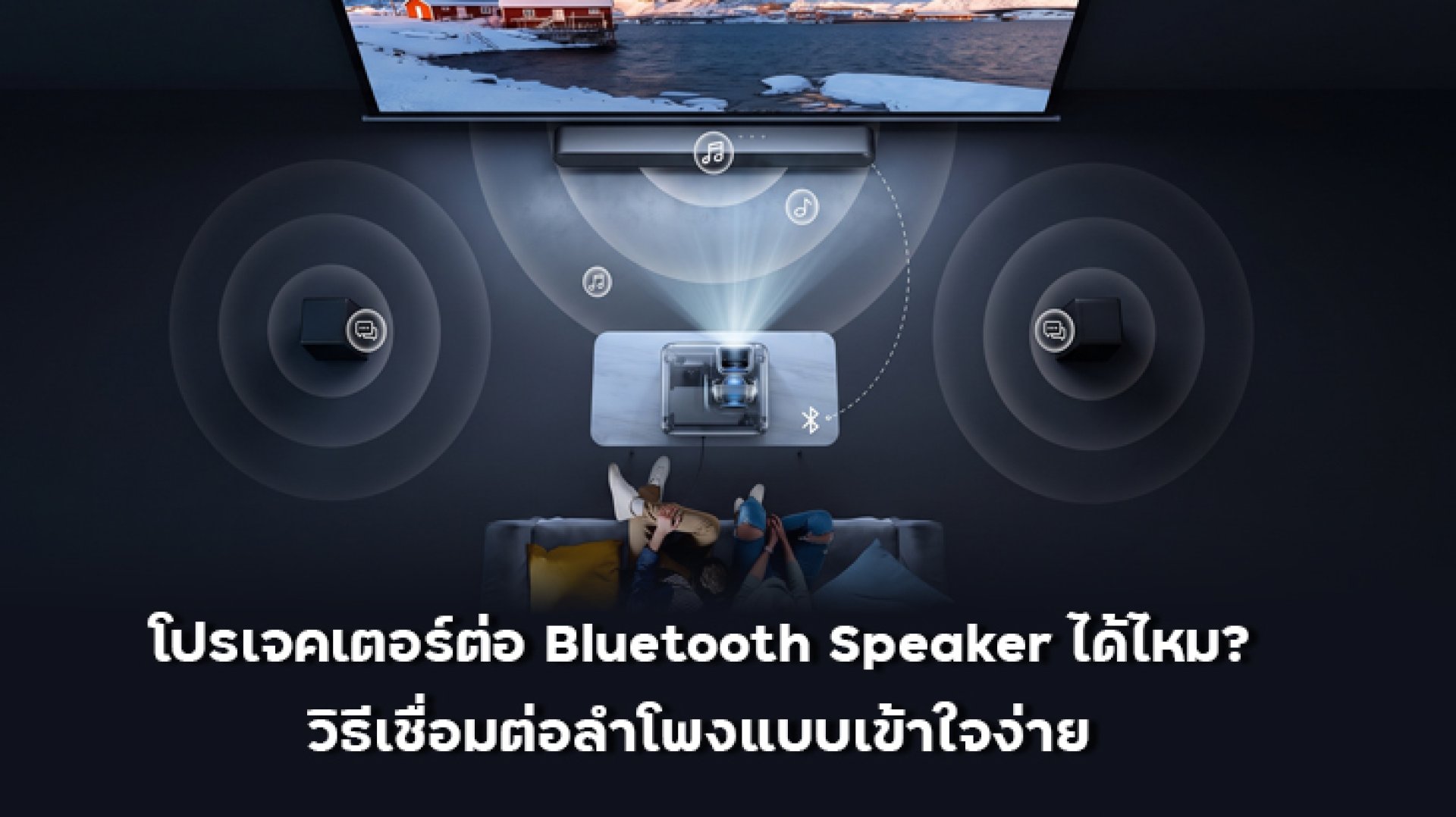
Ever had this happen? The projector is displaying a huge image on the wall, Netflix is ready, the movie is playing... but then you realize, Wait, why does the sound feel too quiet?
This can happen when you move a projector into a larger room or take it outdoors for a movie night. While the built-in speakers may be convenient, sometimes you simply want more sound.
That leads to a common question: Can you connect a projector to a Bluetooth Speaker?
The answer is yes, but it depends on the projector. Having Bluetooth does not automatically mean that every projector can send audio to a Bluetooth Speaker.
The key thing to check is whether the projector supports Bluetooth Audio Output, which allows the projector to send sound wirelessly to an external audio device.
Can You Connect a Projector to a Bluetooth Speaker?
Yes, if the projector supports Bluetooth Audio Output.
Some projectors can connect to Bluetooth audio devices such as Bluetooth Speakers, headphones, or compatible soundbars. However, Bluetooth functionality varies between projector models.
For example, some Epson projector manuals specify support for Bluetooth audio devices and Bluetooth Audio using A2DP, allowing compatible audio devices to receive sound from the projector.
Before buying or connecting a projector, look for terms such as:
- Bluetooth Audio
- Bluetooth Audio Output
- Bluetooth Speaker Output
- Audio Output via Bluetooth
- Bluetooth Speaker Support
- A2DP
If a specification only says Bluetooth without mentioning audio output, check the projector's manual or detailed specifications. Bluetooth may be intended for other functions such as remote controls, keyboards, or other accessories.
What Is Bluetooth Used for on a Projector?
This is where things can get confusing. You may see Bluetooth 5.0 or Bluetooth 5.1 in a projector's specifications and immediately think, Great, I can connect a Bluetooth Speaker.
Not necessarily.
Bluetooth is the wireless communication technology itself. Whether a projector can transmit audio depends on the Bluetooth profiles and functions supported by the device.
For example, Sony explains that a source device needs to support A2DP in order to transmit audio content to a compatible Bluetooth Speaker.
In simple terms:
| Specification | What It Means |
|---|---|
| Bluetooth | The projector has Bluetooth, but this alone does not confirm Bluetooth Speaker audio output. |
| Bluetooth Audio | Bluetooth functionality related to audio devices. |
| Bluetooth Audio Output | The projector can send audio to an external Bluetooth audio device. |
| A2DP | A Bluetooth profile commonly used for stereo audio streaming. |
How to Connect a Bluetooth Speaker to a Projector
If your projector supports Bluetooth Audio Output, the connection process is usually quite simple.
1. Turn On the Bluetooth Speaker
Turn on your Bluetooth Speaker and activate Pairing Mode or Discovery Mode so that other devices can find it.
2. Open Bluetooth Settings on the Projector
Open the projector's Settings menu and look for Bluetooth, Audio, or a similar device-connection menu.
The exact menu name can vary depending on the projector model and operating system.
3. Enable Bluetooth Audio
If the projector provides an option such as Bluetooth Audio or Bluetooth Audio Output, enable it.
Some projectors provide a dedicated Bluetooth device search menu. Certain Epson projector manuals, for example, describe enabling Bluetooth Audio and then searching for and selecting a Bluetooth device.
4. Select Your Bluetooth Speaker
Once the projector finds the speaker, select its name from the list and wait for the connection to complete.
5. Play a Video and Test the Sound
Play a movie, YouTube video, or another source and check the audio.
If everything is configured correctly, the sound should come through the Bluetooth Speaker rather than the projector's built-in speaker.
Keep in mind that the exact connection process varies between projector models, so the manufacturer's manual should always be the final reference.
Connected but No Sound? What Should You Check?
This is another common situation. The projector says the Bluetooth Speaker is connected, but the sound is still coming from the projectoror there is no sound at all.
1. Check Bluetooth Audio Output Support
First, confirm that your projector actually supports Bluetooth Audio Output.
Simply having Bluetooth does not guarantee that the projector can transmit sound to a Bluetooth Speaker.
2. Check Pairing Mode
Make sure the speaker is in Pairing Mode.
If it is already connected to a smartphone, tablet, or another device, the projector may not be able to discover or connect to it.
3. Check the Audio Output Setting
Some projectors allow you to select where the audio should be played. If the Bluetooth Speaker is connected but there is no sound, check the Audio Output settings again.
4. Turn Bluetooth Off and On Again
If the first pairing attempt does not work properly, disconnect the speaker and pair it again.
5. Keep the Devices Within a Reasonable Range
Bluetooth is a wireless technology and its stability can be affected by distance, obstacles, interference, and the surrounding environment.
Even when devices are within the manufacturer's stated communication range, the connection can still become unstable depending on the conditions.
Can a Bluetooth Speaker Cause Audio Delay with a Projector?
Yes, Bluetooth audio can introduce some latency.
When using Bluetooth, the audio has to be encoded, transmitted wirelessly, received by the speaker, and processed before you hear it. This can create a small delay between the image and the sound.
Some Epson projector manuals also mention the possibility of audio delay when using Bluetooth audio devices.
For normal movie or YouTube viewing, the delay may not always be noticeable. However, it can become more obvious when a person's voice needs to match their mouth movements or when playing games where audio timing matters.
What If You Don't Want to Use Bluetooth?
You have other options. Depending on the projector, you may be able to connect an external speaker using a wired connection.
| Connection Method | Best For | What to Check |
|---|---|---|
| Bluetooth | Convenience and a wireless setup | Bluetooth Audio Output, A2DP, latency |
| AUX / Audio Out | Connecting a wired speaker | Whether the projector has Audio Out |
| HDMI ARC | Soundbars and compatible audio systems | Both devices need to support ARC |
| Source Device Audio | When the projector does not support Bluetooth Audio Output | Audio capabilities of the source device |
For example, some Epson projectors provide Audio Out or HDMI ARC, while certain configurations can also use a Bluetooth audio connection through the streaming source device.
If a Projector Has Built-in Speakers, Do You Still Need a Bluetooth Speaker?
Not necessarily.
If you mainly watch movies in a bedroom or relatively small room, the built-in speakers may already be convenient enough for your needs. You also avoid the extra step of pairing another device.
But when using a projector in a larger living room or outdoors, an external speaker can give you more flexibility when positioning the sound.
So the question isn't simply Are built-in projector speakers good enough?
A better question is:
What type of audio setup fits the room and the way I use my projector?
Do YABER Projectors Have Built-in Speakers?
Yes. Several YABER models focus on the audio experience as well as image quality.
- YABER K3 features JBL 15W x2 speakers with Dolby Audio.
- YABER K2s features JBL 10W x2 speakers with Dolby Audio support.
- YABER T2 Plus GTV features JBL 8W x2 speakers with Dolby Audio and can also function as a Bluetooth Speaker.
- YABER New L1 features an 8W speaker with Dolby Audio.
However, don't choose a projector simply because the specifications mention Bluetooth.
The important question is whether that particular model supports Bluetooth Audio Output to an external Bluetooth Speaker.
Who Should Connect a Bluetooth Speaker to a Projector?
If you want to create a movie-night setup without running audio cables across the room, a Bluetooth Speaker can be a convenient option.
It can be particularly useful for:
- Watching movies in the living room
- Watching Netflix or YouTube
- Watching movies in the bedroom
- Moving a projector between different rooms
- Outdoor movie nights
- Using a projector with a speaker you already own
- Positioning the speaker away from the projector
However, if accurate audio synchronization is especially important, or you plan to use the projector for gaming, a wired connection or a dedicated audio system may be worth considering because Bluetooth can introduce latency.
Can You Connect a Projector to a Bluetooth Speaker?
Yesbut check the right specification first.
Don't look only for the word Bluetooth in the projector's specifications. Look specifically for Bluetooth Audio Output or confirmation that the projector can transmit audio to a Bluetooth Speaker.
If it is supported, the basic process is simple: put the Bluetooth Speaker into Pairing Mode, open the projector's Bluetooth settings, select the speaker, and test the audio.
If you're buying a new projector, it is worth checking the complete audio system rather than Bluetooth alone. Look at Bluetooth Audio, built-in speakers, Audio Out, HDMI ARC, and audio latency.
And remember, choosing a projector isn't only about how big the picture can be. For a good movie setup, consider the complete experience: image quality + brightness + throw distance + audio + connectivity.
Frequently Asked Questions
Can every projector connect to a Bluetooth Speaker?
No. A projector having Bluetooth does not automatically mean that it supports Bluetooth Speaker audio output. Check whether the projector specifically supports Bluetooth Audio Output.
Will a Bluetooth Speaker have audio delay with a projector?
It can. Bluetooth audio may introduce latency between the image and sound. This can be more noticeable when watching dialogue-heavy content or playing games.
What if my projector does not support Bluetooth Audio Output?
Check whether it has other audio connections such as Audio Out or HDMI ARC. You may also be able to connect the Bluetooth Speaker to the source device that is sending video to the projector, depending on the equipment.
Can Bluetooth 5.0 connect to a Bluetooth Speaker?
Bluetooth 5.0 alone does not confirm that a projector can transmit audio to a Bluetooth Speaker. Check the supported Bluetooth profiles and whether Bluetooth Audio Output is available.
Should I use a Bluetooth Speaker for outdoor projector movie nights?
You can, provided that the projector supports Bluetooth Audio Output and is compatible with the speaker. An external speaker can also make it easier to position the sound appropriately for an outdoor viewing area. However, test the Bluetooth connection and audio synchronization before the event.