Upgrade Your Workspace: 5 Essential WFH Gadgets to Boost Your Daily Productivity
When working from home becomes a permanent part of your professional life, it is easy to fall into a routine that drains your energy and stifles your creativity. Have you ever noticed how a cluttered desk, an uncomfortable chair, or a lagging smartphone can completely ruin your workflow? Investing in the right gadgets for your Work From Home setup is no longer a luxuryit is a strategic move to unlock your peak efficiency and maintain your physical well-being. From smart environment control to intelligent power management, optimizing your workspace changes everything.
Today, we are diving deep into the top 5 tech upgrades every remote professional needs to conquer their daily goals. Plus, we will share an essential, often overlooked tech-maintenance secret that saves you money: exactly how to take care of iphone charging cable so your workflow never gets interrupted by a dead battery.
5 Ultimate Work From Home Gadgets to Upgrade Your Setup
1. Premium Noise-Canceling Wireless Headphones
The ultimate productivity killer at home is unpredictable ambient noisewhether it is nearby construction, street traffic, or family members moving around. A pair of high-quality wireless headphones with Active Noise Cancellation (ANC) is your ticket to instant focus. Top-tier audio gear from brands like iSUPER (such as the Sound Comfort Pro series), Black Shark, or Kieslect instantly transforms a chaotic living room into a silent, distraction-free executive suite, ensuring crystal-clear audio during crucial Zoom meetings and client calls.
2. Intelligent Health-Tracking Smartwatches
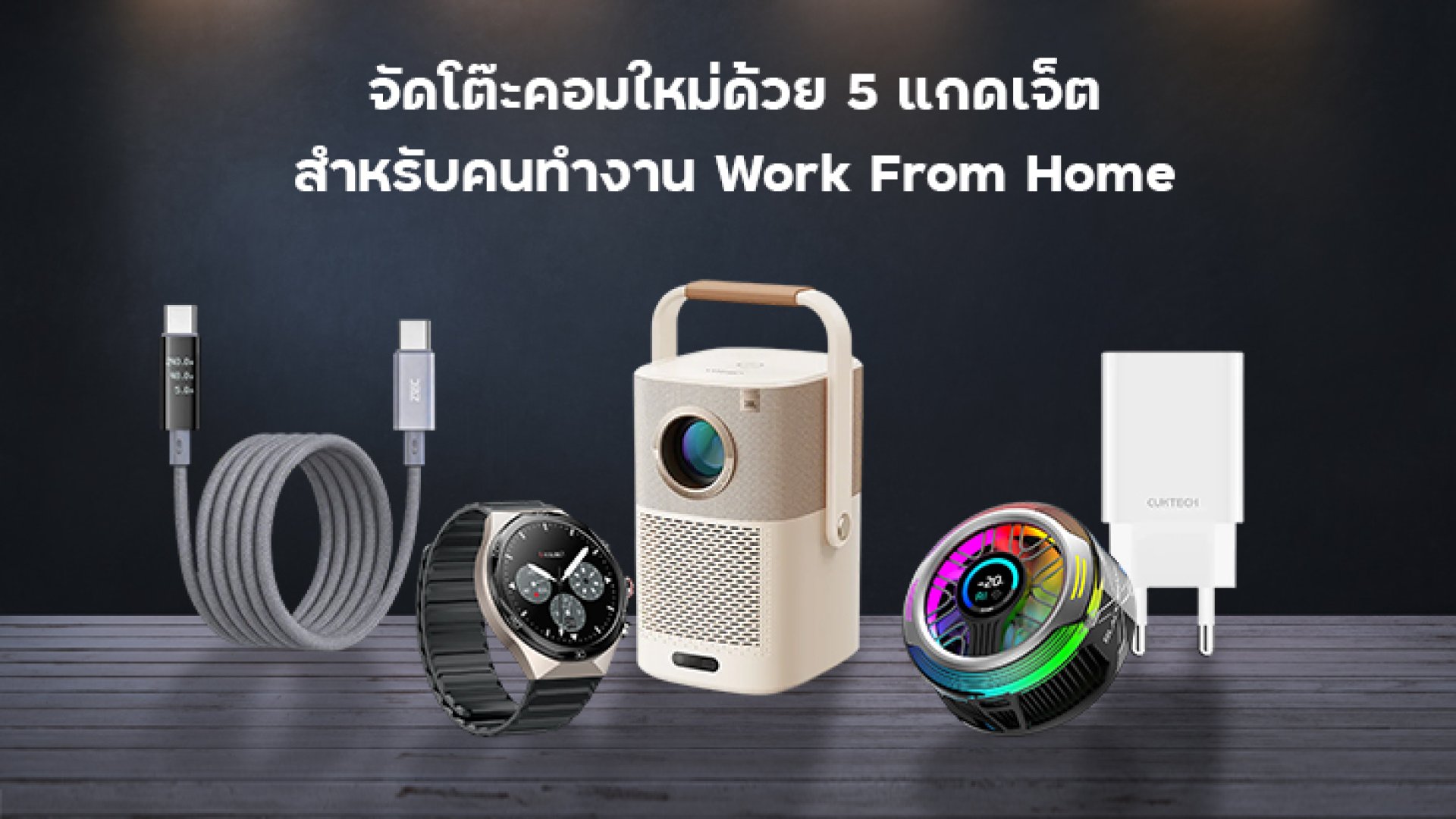
When you are deeply locked into your tasks, it is incredibly easy to lose track of time and sit staring at a screen for six hours straight. Wearing a rugged smart companion like the KOSPET TANK Series or a sleek Kieslect AI Smartwatch acts as your personal wellness coach. It gently vibrates to remind you to stand up and stretch. Even better, wearing it to sleep allows you to track your resting metrics, heart rate, burn zones, and calorie expenditure, giving you the precise data you need to wake up fully recharged for the next business day.
3. High-Performance Smartphone Semiconductor Cooler
For modern content creators, digital marketers, and project managers, a smartphone is a primary work engine. Running endless video conferences, live streams, and resource-heavy apps all day causes smartphones to overheat, freeze, and degrade their battery health. Utilizing a magnetic phone cooler like the Black Shark FunCooler stabilizes your devices temperature instantly using advanced semiconductor cooling. It keeps your phone running smoothly at peak performance without thermal throttling during intense work hours.
4. Smart Portable Home-Cinema Projector
True productivity requires intentional, high-quality relaxation after a grueling day of hitting deadlines. Instead of staring at the same small laptop monitor all night, you can revolutionize your evening downtime with a compact projector like the Yaber T2 Plus. Featuring built-in Google TV, licensed Netflix, and dual JBL-tuned audio, it projects an immersive cinematic screen right onto your bedroom wall. It is the perfect way to disconnect from Slack notifications and completely decompress.
5. Ultra-Durable Fast Charging Kits
A cluttered desk with tangled wires directly impacts your mental clarity and work speed. Upgrading your workspace with a multi-port GaN (Gallium Nitride) fast charger paired with premium, high-density nylon braided cables is a total game-changer. Heavy-duty charging solutions from power pioneers like CUKTECH, ZTEC, and iSUPER support PD3.1 high-speed data and power delivery, allowing you to power your MacBook, iPad, and iPhone simultaneously while keeping your desktop clean and minimalist.
The Tech Maintenance Secret: How to Take Care of iPhone Charging Cable
While gathering massive smart gadgets elevates your workstation, it is the small everyday accessories that keep your business running. Your iPhone charging cable is plugged in and unplugged constantly throughout a standard remote workday. Because it undergoes heavy, repetitive stress, learning how to take care of iphone charging cable correctly is essential to prevent internal copper damage, frayed rubber coatings, or sudden charging failures.
Pro Tech Tip: Most smartphone cable failures do not happen because of low-quality materials. They happen because of bad daily habits. Knowing exactly how to take care of iphone charging cable extends its lifespan by years and saves you from frustrating mid-day power emergencies.
1. Always Disconnect by Holding the Hard Plastic Connector
The most common habit that destroys cables is yanking the soft cord directly out of the phone. This places extreme tension right on the delicate joint area. To practice proper care, always pinch the reinforced plastic head of the connector firmly and pull it out gently. This simple adjustment is the most vital step in learning how to take care of iphone charging cable structural integrity.
2. Avoid Tight Coiling and Sharp Sharp Angles
When tidying up your desk, do not bend your cables at sharp 90-degree angles or wrap them tightly into tight knots. Doing so causes the internal micro-wires to twist, stretch, and eventually snap inside the casing. Instead, loop your cable loosely into a natural circle and secure it with a soft hook-and-loop strap to let the materials rest naturally.
3. Keep Chargers Away from Heat-Trapping Surfaces
Heat is the ultimate silent enemy of electronics. Never leave your phone charging on top of thick beds, heavy blankets, or plush fabric sofas while you work. These materials trap intense heat, which cooks your battery health and causes the outer protective rubber of your cable to become brittle and crack. Keep your charging station on a flat, dry, well-ventilated wooden or metal desk surface.
Quick Comparison: Bad Cable Habits vs. Smart Cable Protection
| Destructive Habits (Fast Cable Wear) | Pro-Active Care (How to Take Care of iPhone Charging Cable) |
|---|---|
| Yanking and pulling the soft cord from a distance. | Grip the solid plastic connector head every time you unplug. |
| Bending, folding, or knotting cables tightly to save desk space. | Loop the cable in a loose, natural circle without stress points. |
| Charging on beds or soft couches that trap high heat levels. | Keep your devices on a cool, hard desk surface with proper ventilation. |
Conclusion: Build a Smarter, More Efficient Remote Lifestyle
Creating an incredible Work From Home experience isn't just about buying expensive tech to show off on social mediait is about choosing functional, high-quality gadgets that solve real daily problems. By setting up ambient noise-canceling audio, tracking your energy levels with a smart wearable, and mastering routine tasks like how to take care of iphone charging cable, you protect your valuable tech investments. Take care of your gear, curate your environment with reliable brands, and enjoy a seamless, highly productive workflow every single day.