Cooling Pad vs Laptop Cooling Fan: What's the Difference?
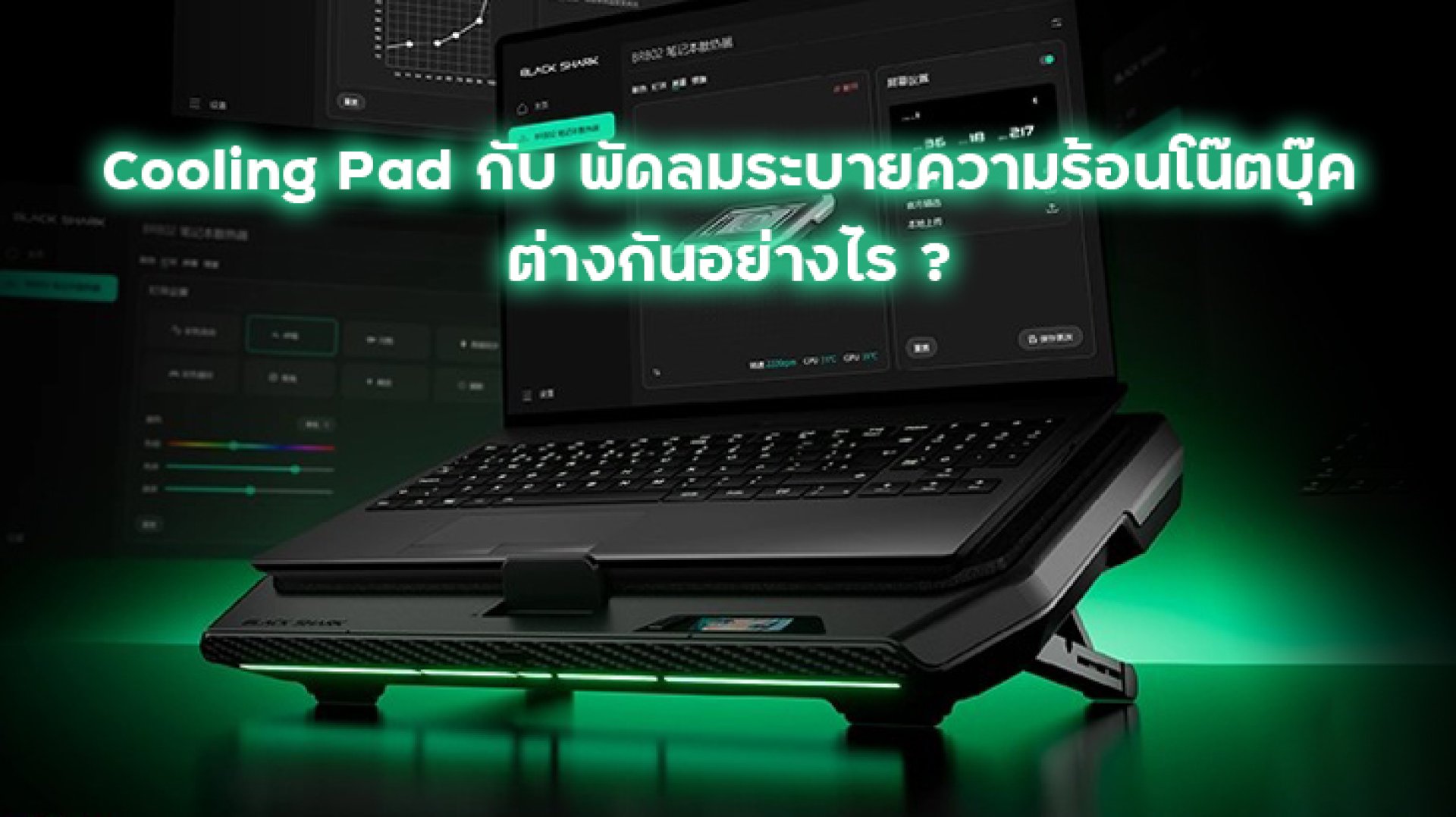
If your laptop gets hot while gaming, working with heavy applications, or running demanding workloads, you have probably come across terms like Cooling Pad, Laptop Cooling Fan, and Gaming Laptop Cooler.
But are they actually different?
The short answer is: they can be, but the terms are often used interchangeably. A Cooling Pad is essentially one type of external laptop cooling solution, while a laptop cooling fan can refer to a wider range of devices designed to improve airflow around a laptop.
The important question is not simply how powerful the fan is. What really matters is where the air goes, how much airflow reaches the laptop's intake vents, and how effectively the system can remove heat.
What Is a Laptop Cooling Pad?
A Laptop Cooling Pad is an external cooling accessory designed to sit underneath a laptop. It normally uses one or more fans to push air toward the bottom of the laptop.
Many models also include additional features such as:
- Adjustable fan speed
- Large cooling fans
- Multiple fan zones
- Adjustable laptop angles
- USB ports
- RGB or LED lighting
- Built-in laptop stands
- Dust protection grilles
For gaming laptops, a Cooling Pad can be particularly useful because gaming laptops often generate significant heat during CPU- and GPU-intensive workloads.
What Is a Laptop Cooling Fan?
The term Laptop Cooling Fan is broader.
It can describe an external fan, cooling stand, laptop cooler, or other accessory that provides additional airflow around the laptop.
Some products simply place a fan underneath the laptop, while more advanced designs are built around a specific airflow path to deliver air toward the laptop's intake area.
Therefore, a Cooling Pad can be considered a type of external laptop cooling fan, but not every laptop cooling fan is designed in the same way.
Cooling Pad vs Laptop Cooling Fan: What's the Difference?
| Feature | Cooling Pad | External Laptop Cooling Fan |
|---|---|---|
| Design | Usually a laptop stand with built-in fans | Can have various designs and forms |
| Main purpose | Improve airflow and support laptop cooling | Provide additional airflow around the laptop |
| Airflow direction | Usually directed toward the laptop's bottom intake | Depends on the product design |
| Fan size | Often uses larger fans | Can range from small to large fans |
| Adjustability | Often includes adjustable angles or fan speeds | Varies by model |
| Gaming suitability | Generally suitable for gaming laptops | Depends on airflow design and cooling performance |
The Most Important Factor Is Airflow
When choosing a Gaming Laptop Cooling Pad, it is easy to focus on fan speed or the number of fans.
But more fans do not automatically mean better cooling.
The key factor is Airflow.
A laptop needs to take in relatively cool air and exhaust warm air. If an external cooling device pushes a large amount of air into an area where the laptop has no intake vents, much of that airflow may have limited practical impact.
This is why cooling performance can vary significantly between different laptop models.
Why Does Laptop Airflow Matter?
Most laptops have a specific internal airflow path.
Air enters through intake vents, passes through the internal cooling system, and carries heat away from components such as the CPU and GPU before leaving through exhaust vents.
A simplified airflow path looks like this:
Cool Air Laptop Intake Internal Fan Heatsink CPU / GPU Heat Hot Air Laptop Exhaust
A Cooling Pad works outside this system. Its job is not to directly cool the CPU or GPU. Instead, it can help provide better airflow around the laptop's intake area.
Does a Cooling Pad Actually Reduce Laptop Temperature?
It can, but the result depends heavily on the laptop and cooling pad design.
Factors that affect cooling performance include:
- Location of the laptop's intake vents
- Internal cooling system design
- Fan airflow
- Air pressure and airflow direction
- Room temperature
- Dust buildup
- CPU and GPU workload
- Laptop power settings
For example, a Cooling Pad may work more effectively when its airflow is aligned with the laptop's main intake vents.
On the other hand, if the laptop has very limited bottom intake openings or the fan airflow does not reach the important areas, the improvement may be smaller.
Cooling Pad vs Laptop Stand
It is also important to distinguish between a traditional laptop stand and an active Cooling Pad.
A passive laptop stand mainly raises the laptop and can improve the space underneath it. This may help airflow in some situations.
A Cooling Pad goes one step further by actively moving air using fans.
In other words:
- Laptop Stand: primarily changes the laptop's position and airflow clearance.
- Cooling Pad: actively adds airflow using fans.
- Advanced Laptop Cooler: may use a more controlled airflow or pressure-based cooling design.
What Is Pressure Cooling?
Some high-performance laptop coolers use a concept known as Pressure Cooling.
In simple terms, the idea is to control and direct airflow so that air is delivered toward the laptop's cooling intake area more effectively.
The word "pressure" does not mean that the cooling device magically makes the air colder. Instead, airflow and air pressure are used to improve how air is delivered to the laptop.
This can be particularly useful for gaming laptops that need strong and consistent airflow during long gaming sessions.
However, the actual cooling result still depends on the laptop's internal thermal architecture and intake design.
Does a Stronger Fan Mean Better Cooling?
Not necessarily.
A high-speed fan can move a lot of air, but the airflow needs to reach a useful location.
Think of it like using a powerful desk fan in a room. If the fan is pointed in the wrong direction, increasing its speed does not necessarily solve the problem.
The same principle applies to laptop cooling.
Good cooling is not simply about maximum airflow. It is about useful airflow.
What About CPU and GPU Cooling?
The CPU and GPU are two of the main heat-generating components inside a gaming laptop.
When the system is under heavy load, temperatures can rise significantly. Modern processors and graphics systems use thermal management mechanisms to protect hardware and control performance when temperatures become too high.
When thermal limits are reached, the system may reduce clock speeds or power levels. This behavior is commonly referred to as Thermal Throttling.
A cooling pad cannot eliminate thermal throttling in every laptop, but improving airflow may help the laptop maintain more stable thermal conditions when external airflow is a limiting factor.
Who Should Use a Cooling Pad?
A Cooling Pad can be useful for users who regularly run their laptops under heavy workloads.
1. Gaming Laptop Users
Gaming can place sustained loads on both the CPU and GPU. Additional airflow can be useful during long gaming sessions, especially when the laptop becomes noticeably hot.
2. Users Running Heavy Applications
Video editing, 3D rendering, software development, simulations, and other intensive workloads can also generate substantial heat.
3. Users Who Play for Long Sessions
If you regularly use a laptop for several hours at a time, maintaining good airflow can become more important than during short workloads.
4. Laptops With Restricted Airflow
If the laptop's bottom area is close to the desk surface, raising the device and improving airflow clearance may help in some situations.
How to Choose the Right Laptop Cooling Pad
1. Check Your Laptop's Intake Vents
This should be one of the first things you check.
Look at the bottom of your laptop and identify where the main intake vents are located. Choose a cooling pad that can direct airflow toward those areas.
2. Look at Airflow Design
Do not judge a Cooling Pad only by the number of fans.
Consider the overall airflow path, fan position, fan size, and how the product delivers air toward the laptop.
3. Consider Fan Noise
More airflow can sometimes mean more noise.
If you use your laptop for gaming, studying, streaming, or recording, fan noise can become an important part of the buying decision.
4. Check Laptop Size Compatibility
Make sure the Cooling Pad physically supports your laptop size.
For example, some models are designed for 14- to 18-inch laptops, while others target smaller notebooks.
5. Check Additional Features
Depending on your use case, features such as adjustable angles, USB ports, displays, lighting, fan speed control, and dust filters can make the Cooling Pad more convenient.
What About Black Shark Supercharged Laptop Cooler Pro?
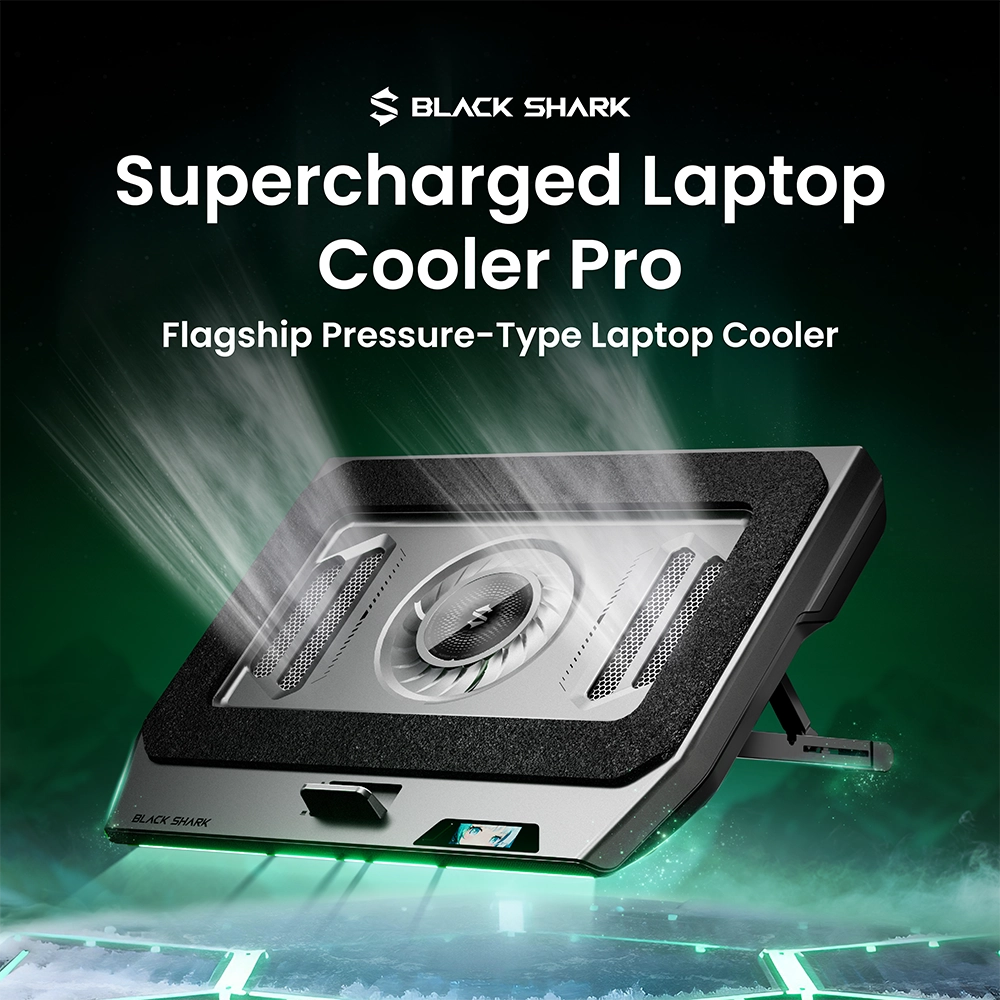
For users looking for a more advanced gaming laptop cooling solution, the Black Shark Supercharged Laptop Cooler Pro is an example of a high-performance external laptop cooler designed around airflow and pressure-based cooling.
It features a large 140 mm fan with 29 blades and a high-power motor. The design focuses on delivering strong airflow toward the laptop's cooling intake area rather than simply placing a small fan underneath the device.
The cooler also includes a built-in adjustable stand, USB connectivity, multiple USB ports, a dust grille, and a smart display.
Its adjustable support is designed for laptops from approximately 14 to 18 inches, making it particularly relevant for larger Gaming Laptops.
For users who spend long hours gaming or running demanding workloads, the important point is not simply that the cooler has a powerful fan. The real consideration is whether its airflow design matches the intake layout of your specific laptop.
Cooling Pad vs Laptop Cooling Fan: Which One Should You Choose?
If you want a simple answer, think about your usage.
| Your Situation | Recommended Option |
|---|---|
| Basic laptop use | Laptop stand or basic Cooling Pad |
| Gaming occasionally | Cooling Pad with good airflow |
| Long gaming sessions | High-airflow Gaming Laptop Cooling Pad |
| Heavy CPU/GPU workloads | High-performance laptop cooler |
| Thermal issues during gaming | Check laptop airflow first, then consider a Cooling Pad |
Conclusion: Choose Airflow, Not Just Fan Power
Cooling Pad and Laptop Cooling Fan are closely related terms. A Cooling Pad is generally an external laptop cooling solution that combines a stand with one or more fans, while "Laptop Cooling Fan" can refer to a wider range of external cooling devices.
The biggest mistake when choosing one is focusing only on fan speed, the number of fans, or flashy specifications.
The most important factor is airflow and whether that airflow actually reaches the laptop's intake area.
For gaming laptops, a well-designed Cooling Pad can help support thermal management during demanding workloads. Advanced designs such as Pressure Cooling can further focus on how air is delivered to the laptop.
In the end, the best cooling solution is not necessarily the one with the most powerful fan.
Good cooling is not about pushing the most air possible. It is about delivering the right airflow to the right place when the laptop needs it most.